 v2.5.0
PDF annotation, canvas notes and signatures inside your app.
A polished PDF reader for Laravel — highlights, canvas clips, pen, signer links. Your auth, your data.
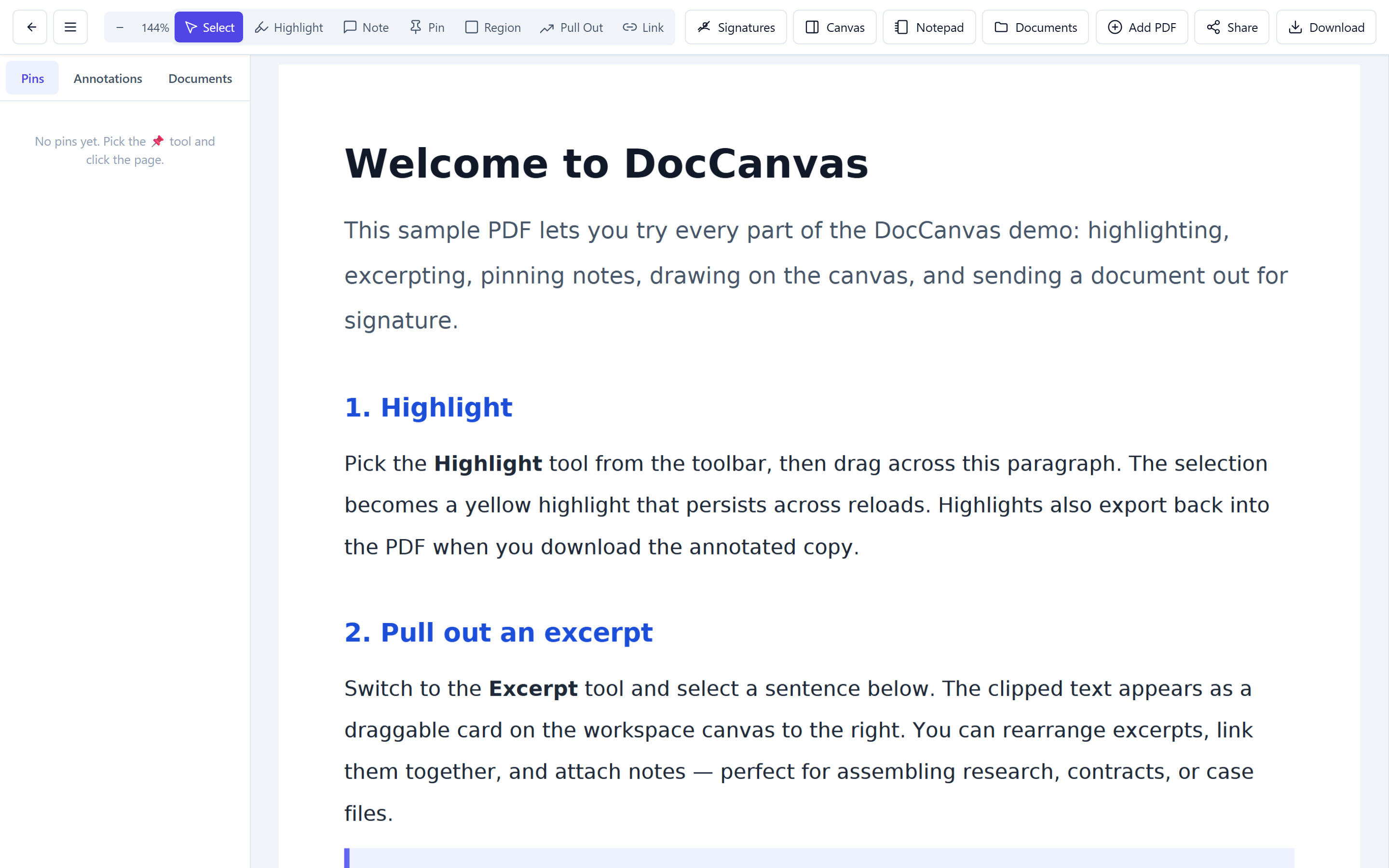
What's inside
A PDF workspace for your Laravel app.
One composer require
— six things ship: annotations, side canvas, signer flow,
office conversion, iframe bridge, policy-aware auth.
Six annotation modes
Highlight, note, pin, region, excerpt, link — each pinned to exact PDF coordinates and surviving every zoom and re-flow.
Workspace + pen canvas
Pull selections onto a side canvas. Sketch with Apple Pencil pressure, drop text boxes, link clips across pages.
Signer link workflow
Mint a one-time signed URL. Recipient signs in a stripped viewer. Stamps and audit trail land on the document.
Office to PDF on upload
Word, Excel, PowerPoint, ODF, RTF, TXT — LibreOffice converts server-side, the original stays downloadable.
Iframe + postMessage bridge
Embed in Angular, React, Vue via signed URL. Bridge ships page + annotation events out, takes navigation commands back.
Owner-scoped + policy hook
Records scope to your auth guard and owner key. Drop in a Laravel policy for workspace or team rules without forking.
Run the demo
Every flow, on a seeded document.
Auto-logged in. Sample PDF + workspace ready. Pick a flow.
Locked — tell us about your need to unlock the demo flows.
We’ll email you a personal demo link and unlock the flows below in this browser.
Upload + view
Drop PDF or Office files. LibreOffice converts server-side.
Highlight + clip
Select text, save as highlight or lift onto the canvas.
Pen + canvas
Sketch with Apple Pencil pressure. Drop free-floating text boxes.
Signer link
Mint a one-time URL. Recipient signs, audit trail saved back.
Screenshots
Straight from the running app.
Captured by scripts/screenshots.mjs on the seeded demo.
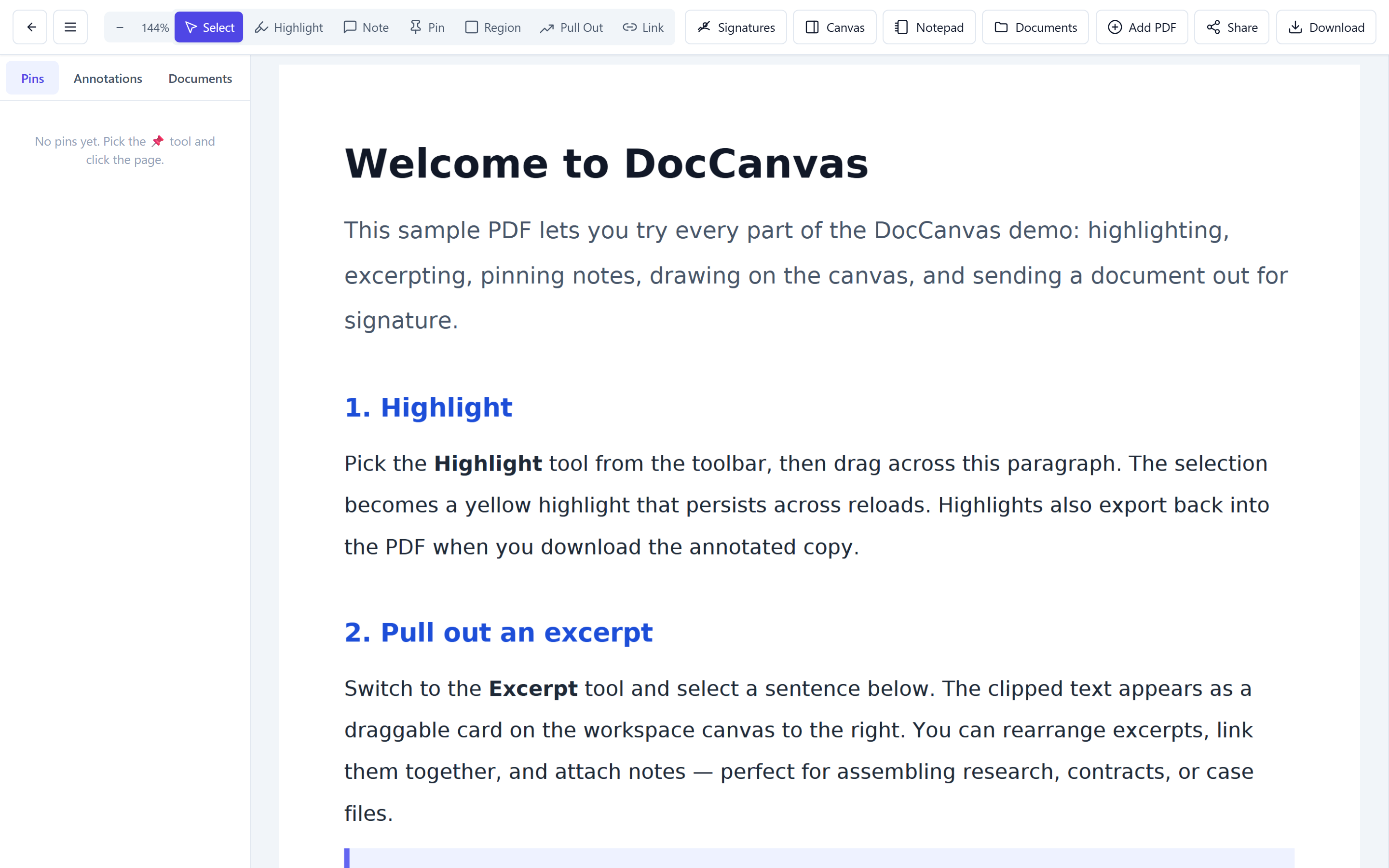
Viewer + workspace
PDF on the left, draggable excerpts on the right.
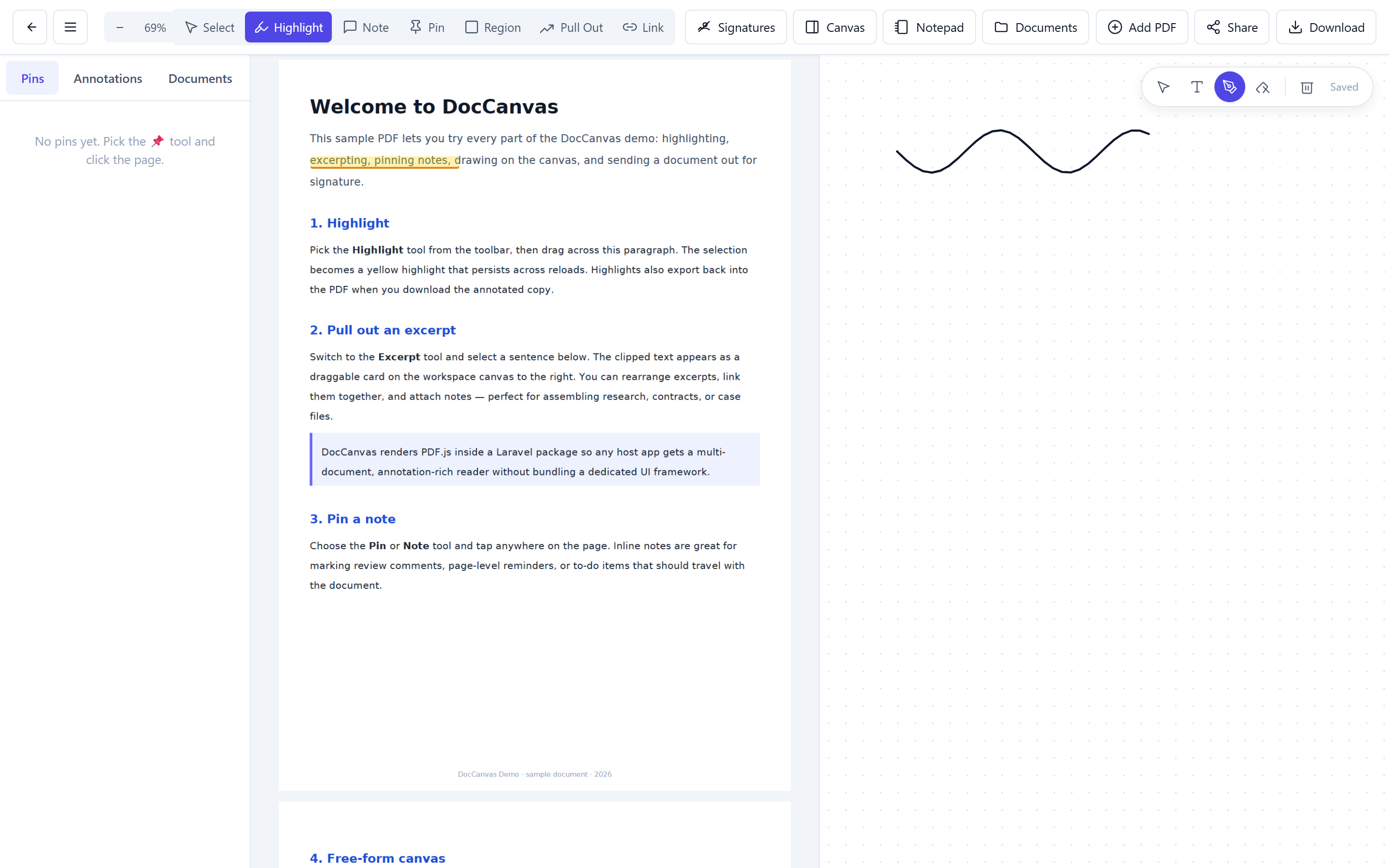
Free-form canvas
Pen strokes and text boxes sharing one canvas.
Pricing
Buy a license — ship it in your app.
One-time purchase per project. Includes the private Composer repository token, lifetime updates within the major version, and email support. Use it in commercial work, white-label it, and ship as many documents as your server can hold.
Solo
For independent developers shipping a single product.
- 1 production domain
- Unlimited dev / staging installs
- 1 year of updates
- Email support
Studio
For agencies and product teams running several apps.
- 5 production domains
- Unlimited dev / staging installs
- 2 years of updates
- Priority email support
- White-label allowed
Enterprise
For unlimited deployments and custom terms.
- Unlimited domains
- Lifetime updates
- SLA-backed support
- Custom contract / invoicing
- Optional roadmap input
How licensing works
After purchase we email a license key plus credentials for
our private Composer registry. Add them to
auth.json, run
composer require aim/laravel-doccanvas,
publish the assets, migrate — same Laravel workflow
you already know.